Agents & independent brokers
Real estate headshots for your next introduction
A consistent introduction for your brokerage bio, client presentations and professional profiles.
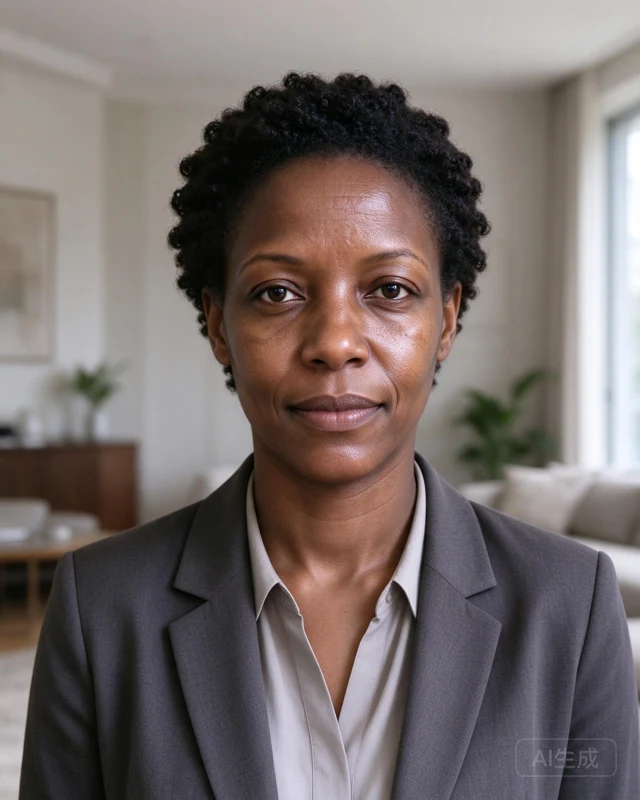
A look for your field
- Tailored layers and natural, even lighting.
- Quiet interiors that keep attention on your face.
- A clear portrait for profiles; contact details on separate introduction cards.
Put your portrait to work
Brokerage bio · Client introduction · Email signature. Keep your name, role and qualifications accurate. Check employer and platform requirements before publishing.
Choose a portrait for the way clients meet you
For a brokerage directory, use a close crop with clear eyes and a quiet background. For a listing presentation, leave room around your shoulders so the same image works beside your contact details. Choose clothing you would wear to meet a client; a luxury setting does not establish local expertise.
Before uploading to your brokerage website, check its crop, file size and AI-image rules. Keep logos, licence details and contact information in the page or introduction card rather than asking AI to render them.
Prepare, review, then use
- Start with a clear front-facing photo and a few supporting images of yourself. See the photo checklist.
- Choose this professional direction and a lighting style. Choose a pack based on how many portraits and styles you want to explore.
- Review your face, eyes, teeth, glasses, hair and clothing at full size. AI may change details. Request support if a material likeness problem remains.
- Use the included editor for a profile crop, introduction card or signature image. See download and signature instructions.
Prepare this direction Compare packs
Portrait packs are now available. Check the studio for current availability. Allow up to 2 days after starting generation. Packs start at $24, include AI-watermarked originals and one support-reviewed redo batch; download within 30 days.