 Headshot
A useful real estate email signature makes it easy to recognise you and contact you. The portrait is one part of it. Keep your name, role and contact links as readable text so the signature still works when an image is blocked.
Start with a small, useful set of details
- Your actual name and professional role.
- Your brokerage name and any required licence or business disclosures.
- A clickable phone number, email address and website where appropriate.
- A small portrait or signature image that supports those details.
Ask your brokerage which disclosures and branding are required. This guide describes layout and installation, not a universal compliance template.
Build the image in HeadshotLane
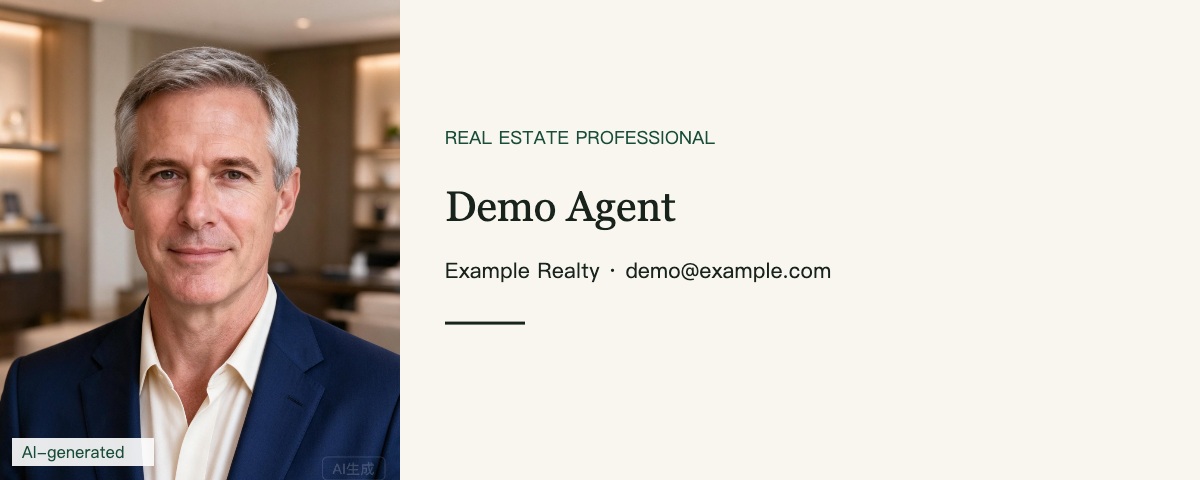
Open a completed portrait in your order and choose the email signature layout. Review the crop and text, then download the 1200 × 480 image. This is an image file, not an automatically installed HTML signature. Text inside it is not clickable or accessible as normal email text.
Insert it in your email application
- Use a desktop browser or email client with an image-capable signature editor.
- Insert the downloaded image. Try a display width around 400–600 pixels, then check it on a phone; the best size depends on your email template.
- Add your name and clickable contact details as separate text. Keep a plain-text version for clients that do not show images.
- Choose whether the signature appears on new messages and replies. Save the settings.
Menus change, so follow the current instructions for your application: Gmail signature instructions or Outlook signature instructions. Mobile apps may support a different set of features.
Send yourself a real test email
Open it on both desktop and phone. Check that the portrait is not stretched, the text is legible, the links work and the signature does not overwhelm a short message. Look at a reply thread too: a large repeated image can quickly become distracting.
Avoid common traps
Do not paste a huge full-resolution portrait directly into every message. Do not place all contact information inside an image. Do not remove an AI watermark or imply that a fictional demo is your own result. Download your files within 30 days and keep a local copy for future use.
Need a portrait first? Explore our real estate AI headshots. If you already have an order, open your account and use a portrait you have reviewed.